dinsdag 27 augustus 2013
Announcements
I am invited to speak at the UKOUG Technology Conference 2013, at Manchester Central in December 2013.
This is an excellent forum, having the mission ”to serve the Oracle Community”, a medium for exchange of information,
knowledge and skills about the products of the ORACLE Corporation.
My presentation selected for inclusion within the program is about “How to avoid struggling with the APEX Listener”.
The APEX listener is the newest method for connectivity to APEX applications.
This talk will explain what it is, what it can do, why it is better than other alternative methods and how it is administered.
The new Oracle APEX Listener is a J2EE based alternative for Oracle HTTP Server (OHS) and mod_plsql.
This J2EE implementation offers improved functionality including a web-based configuration, enhanced security, and file caching.
This session will explain how to install and configure the APEX Listener against GlassFish and WebLogic.
It will also show how to troubleshoot the listener and where to find diagnostic information when the APEX Listener doesn’t work as expected.
OAK Table member
I am very honored to tell that I am member from the OAK table.
For more information see: http://www.oaktable.net/
zondag 19 mei 2013
How to Configure the APEX Listener against WebLogic
Step 1:
Installation from JDK
Step 2:
Setting up my environment
Set JAVA_HOME=c:\program files\java\jdkxxxx
Set PATH= c:\program files\java\jdkxxxx\bin;%PATH%
Step 3:
Installation from WebLogic
Java –Xmx1024m –jar wlsxxxxx
Step 4:
In my particular case, I have created a separate domain for APEX
C:\oracle\middleware\user_projects\domains
Step5:
Start WLS
Navigate to c:\oracle\middleware\user_projects\domains\apex_domain\bin
SetDomainEnv.cmd
StartWeblogic.cmd
Step 6:
C:\oracle\middleware\wlserver_103\server\bin
setWLSEnv.cmd
startNodemanager
Step 7:
I need to configure first, before I can deploy against a web server.
In this example WebLogic
Step 8:
Only an example from my environment
At this point I define my APEX configuation directory.
In this example, my configuration directory is c:\apexconfig
java -jar apex.war configdir C:\apexconfig
Now I start my configuration
java -jar apex.war
PM oracle.dbtools.common.config.file.ConfigurationFolder log ConfigFolder
INFO: Using configuration folder: C:\apexconfig\apex
Enter the name of the database server [localhost]:
Enter the database listen port [1521]:
Enter 1 to specify the database service name, or 2 to specify the database SID [1]:2
Enter the database SID [xe]:orcl11
Enter the database user name [APEX_PUBLIC_USER]:
Enter the database password for APEX_PUBLIC_USER:
Confirm password:
Enter 1 to enter passwords for the RESTful Services database users (APEX_LISTENER,APEX_REST_PUBLIC_USER),
2 to use the same password as used for APEX_PUBLIC_USER
or, 3 to skip this step [1]:2
Enter the database password for APEX_LISTENER:
Confirm password:
may 08, 2013 3:44:17 PM oracle.dbtools.common.config.file.ConfigurationFiles update
INFO: Updated configurations: defaults, apex, apex_al, apex_rt
Enter 1 if you wish to start in standalone mode or 2 to exit [1]:2
Step 9:
Creating images
user_projects\domains\apex_domain
Copied the apex.war to the user_projects\domains\apex_domain directory location
Step 10:
Running in Non-SSL mode
edited defaults.xml file
Added
entry key="security.verifySSL">false
Step 11:
Logging in to WebLogic
Step 11:
Deployment from i and apex.war
Step 12:
Credentials
Step 13:
restart WLS is necessary to make changes active
Log in to the APEX environment
Installation from JDK
Step 2:
Setting up my environment
Set JAVA_HOME=c:\program files\java\jdkxxxx
Set PATH= c:\program files\java\jdkxxxx\bin;%PATH%
Step 3:
Installation from WebLogic
Java –Xmx1024m –jar wlsxxxxx
Step 4:
In my particular case, I have created a separate domain for APEX
C:\oracle\middleware\user_projects\domains
Step5:
Start WLS
Navigate to c:\oracle\middleware\user_projects\domains\apex_domain\bin
SetDomainEnv.cmd
StartWeblogic.cmd
Step 6:
C:\oracle\middleware\wlserver_103\server\bin
setWLSEnv.cmd
startNodemanager
Step 7:
I need to configure first, before I can deploy against a web server.
In this example WebLogic
Step 8:
Only an example from my environment
At this point I define my APEX configuation directory.
In this example, my configuration directory is c:\apexconfig
java -jar apex.war configdir C:\apexconfig
Now I start my configuration
java -jar apex.war
PM oracle.dbtools.common.config.file.ConfigurationFolder log ConfigFolder
INFO: Using configuration folder: C:\apexconfig\apex
Enter the name of the database server [localhost]:
Enter the database listen port [1521]:
Enter 1 to specify the database service name, or 2 to specify the database SID [1]:2
Enter the database SID [xe]:orcl11
Enter the database user name [APEX_PUBLIC_USER]:
Enter the database password for APEX_PUBLIC_USER:
Confirm password:
Enter 1 to enter passwords for the RESTful Services database users (APEX_LISTENER,APEX_REST_PUBLIC_USER),
2 to use the same password as used for APEX_PUBLIC_USER
or, 3 to skip this step [1]:2
Enter the database password for APEX_LISTENER:
Confirm password:
may 08, 2013 3:44:17 PM oracle.dbtools.common.config.file.ConfigurationFiles update
INFO: Updated configurations: defaults, apex, apex_al, apex_rt
Enter 1 if you wish to start in standalone mode or 2 to exit [1]:2
Step 9:
Creating images
user_projects\domains\apex_domain
Copied the apex.war to the user_projects\domains\apex_domain directory location
Step 10:
Running in Non-SSL mode
edited defaults.xml file
Added
entry key="security.verifySSL">false
Step 11:
Logging in to WebLogic
Step 11:
Deployment from i and apex.war
Step 12:
Credentials
Step 13:
restart WLS is necessary to make changes active
Log in to the APEX environment
maandag 22 april 2013
Oracle User Group Norway
The spring seminar was held from the 17th of April until the 19th of April. It was for me the first time, attending this conference.
Beside of a perfect organization, a high quality of content and extremely good and experienced speakers. I was very honored to be a speaker at this conference.
Some reasons why you should attend this conference
1.
No marketing presentations but high quality of technical content
2.
Learn new things and having the possibility to improve your knowledge in another area of expertise
3.
A good atmosphere
4.
Beautiful environment
5.
A great possibility to network
6.
A lot of entertainment to relax and to learn people
Of course, much more than this list.
My presentation was dealing about the Oracle Database Services Cloud.
The latency from the network was too big and therefore I have provided my demonstrations by video.
This week, I will write a document about what I presented and send to the board of the User Group.
Hope to meet you next year again at this brilliant organized event!
I like to take the opportunity to thank the board from the Oracle User Group Norway. I have to say that I was impressed!
maandag 25 maart 2013
FOP in APEX Listener Version 2
vrijdag 2 november 2012
Announcements
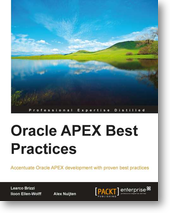
For a long time, I did not make any update at my blog. I was too busy with my activities at Oracle and getting the book ready.
It was a big adventure to write a book and without my co-authors and reviewers, we never would have come to the final result. A lot of people inspired me along the process of writing.
To view the book
The book can be ordered and I really hope it will be useful for people working with the Application Express product. I cannot say it enough, the Application Express product and development team is an amazing team!
Starting last year, I am involved in the Database Services Cloud project. I strongly recommend you to try the Oracle Cloud and discover the possibilities. Try the Oracle Cloud
Documentation on the Database Cloud Service:
Via the Oracle website, https://cloud.oracle.com / Tab Resources
Material like white papers, video's, tutorials ( Oracle By Example ) can be found.
This year, I will not present at the UK_OUG conference because of the fact that I like to be at home at the 5th of December.
Next year, I hope to present for the Oracle User Group in Norway and Bulgaria. Probably many more but that also depends on my upcoming activities within Oracle.
It was a big adventure to write a book and without my co-authors and reviewers, we never would have come to the final result. A lot of people inspired me along the process of writing.
To view the book
The book can be ordered and I really hope it will be useful for people working with the Application Express product. I cannot say it enough, the Application Express product and development team is an amazing team!
Starting last year, I am involved in the Database Services Cloud project. I strongly recommend you to try the Oracle Cloud and discover the possibilities. Try the Oracle Cloud
Documentation on the Database Cloud Service:
Via the Oracle website, https://cloud.oracle.com / Tab Resources
Material like white papers, video's, tutorials ( Oracle By Example ) can be found.
This year, I will not present at the UK_OUG conference because of the fact that I like to be at home at the 5th of December.
Next year, I hope to present for the Oracle User Group in Norway and Bulgaria. Probably many more but that also depends on my upcoming activities within Oracle.
dinsdag 27 maart 2012
Oracle Dutch User Group at the 26th of March 2012

The special Application Express event in the Netherlands was a great success.
The day started with the keynote session from Patrick Wolf from the Application Express Development team. Enhancements in Application Express were discussed and also some information from the Application Express development team and of course with the Safe Harbor statement. (it is all still preliminary, the Safe Harbor statement).
Application Express 4.2 will concentrate on the use of Application Express at mobile devices like Iphone, IPAD etc.
Statement of direction of version 4.2
After the keynote session there were three parallel sessions available. High content and great speakers and therefore extra honored to be one of the speakers.
It was a very difficult to decide which session to join.
The first session, I joined was the presentation from Roel Hartman about HTML 5.
Very short summary but it is still the truth. Cool stuff!
I did not realize in advance that there is so much possible in HTML 5!
After the perfect lunch, I joined the session from Dimitri Gielis about the differences in listeners used in Application Express. The advantages and disadvantages from a certain interest were discussed.
After the session from Dimitri, I presented about the Database Cloud Service.
The room was totally overbooked!
Amazing for myself!
I cannot thank you enough for so much intrest!
After my own presentation, I joined the presentation about Building desktop-like web applications with Ext JS & Appplication Express. Very pitty that the network did not collaborate.
The content of the presentation was excellent and the speaker cannot be applauded enough for keeping so calm with a slow network.
The last session from the day, was a practical case.
The real story behind making the decision to move to Application Express.
The successfull day was ended with a dinner together with some of the speakers from the User Group.
Thanks and credit to the OGH organization for organizing a successfull event like this! :-)
dinsdag 28 februari 2012
Dutch Application Express Event

Release 4.1.1 is now available
For existing installations, you can upgrade from the current release using patch # 13331096.
p13331096_11202_GENERIC.zip is available at My Oracle Support.
For a new installation, you are advised to install the latest full release.
Download APEX 4.1.1.
Upcoming presentation
---------------------
I will present about Database Cloud Service at the APEX day organized by the Dutch User Group.
APEX Day
I will talk about:
- What is Cloud
- Oracle Public Cloud
- Database Cloud Service
- Architecture
- Components
Hope to meet you at this event face to face!
Abonneren op:
Posts (Atom)